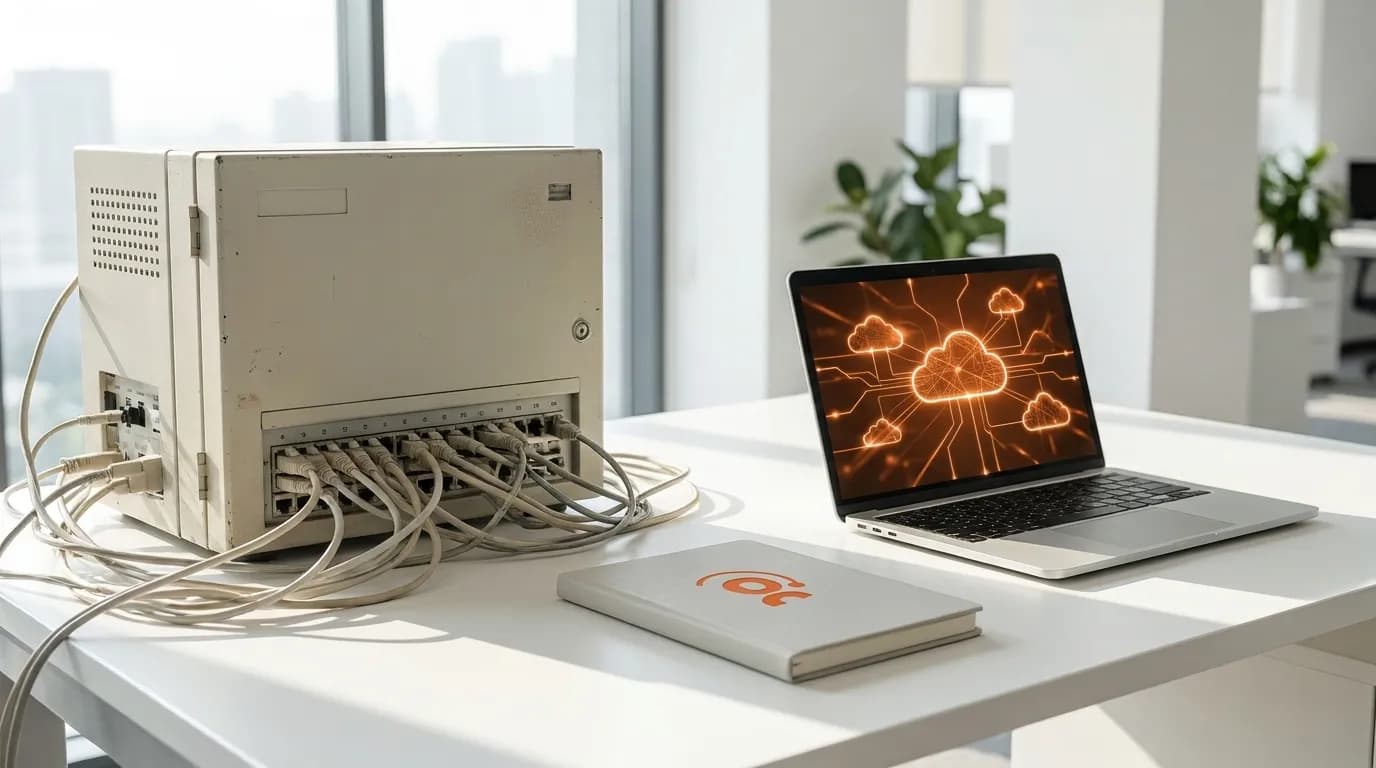
The differences between a virtual PBX and an on-premises PBX stem from whether communication traffic is managed via the cloud or through local hardware units. Choosing the PBX model that fits your organization's workflow lets you reduce hardware dependency and improve call efficiency. Before deciding, it is essential to examine the technical specifications and operational impacts of both architectures.
What are the differences between a virtual PBX and an on-premises PBX?
Traditional communication architectures rely on bulky PBX chassis housed in the office and analog copper wiring run to desks. In these setups, every new extension request means drilling holes in walls, buying additional expansion cards, and organizing complex cable ducts. A VoIP infrastructure, on the other hand, delivers voice transmission as digital packets directly over internet protocol. Because phone calls travel across existing local networks and internet bandwidth instead of analog lines, server rooms no longer need to be cluttered with stacks of hardware.
The most striking distinction when choosing a system appears on the balance sheet. Hardware-based solutions require substantial upfront setup costs, server board licenses, and ongoing service contracts. Component wear and system failures over time generate unpredictable maintenance and repair expenses. With Calling AI cloud infrastructures, the entire system runs on secure internet servers, allowing software updates to be deployed remotely and protecting businesses from unexpected costs through the flexibility of zero on-site hardware.
Infrastructure and usage comparison
To evaluate the operational capabilities of both models, compare hardware dependency with the advantages offered by cloud architecture in the table below:
| Feature | On-Premises PBX | Virtual PBX |
|---|---|---|
| Infrastructure and Hardware | PBX chassis, analog boards, physical cabling | Internet connection, computer, or smart device |
| Workspace | Only the office building where the hardware is installed | Any location with internet access |
| Scaling Capacity | Requires purchasing extra boards and running physical lines | Adjusted instantly through the user management dashboard |
| Maintenance and Updates | Requires on-site technician service at the office | Handled automatically and seamlessly on the server side |
Location dependency can significantly impact how modern companies operate. In a hardware-centric setup, staff must be seated at a desk with access to a wired phone to answer calls, cutting off field personnel or remote employees from the corporate network. With a cloud-based virtual PBX AI integration, users can connect to their extensions from laptops or smartphones anywhere with an internet connection, ensuring uninterrupted communication.
When it comes to easing internal workloads, traditional PBX systems rely on operators to manually route calls, whereas a virtual receptionist in modern systems immediately greets incoming calls and routes them to the right department, saving employees valuable time. Instead of wasting hours on PBX maintenance or cabling issues, teams can remain focused squarely on their core business operations.
The flexibility cloud technology brings to communication infrastructure
As businesses grow, their headcount and extension line requirements constantly shift. With legacy PBX boxes, assigning a number to a new hire can take days because you have to install new analog cards in the chassis and run physical wiring to their desk. A cloud-based virtual PBX shifts this cumbersome process entirely to a digital browser-based dashboard. You can create a new user with a few clicks and assign a dedicated extension to that employee within minutes. This allows you to manage your PBX capacity on your own—without scheduling technician visits or dealing with cable clutter.
Migrating extensions entirely to software fundamentally transforms the way teams work. Field teams or remote support staff connect to the corporate network instantly via simple apps installed on their mobile phones or laptops. Without being tied to a desk phone, you can answer calls coming to your business number directly, even when you're on the move. When you need to call a customer back, you can safely use your company's corporate line while keeping your personal mobile number private. This flexibility completely prevents communication breakdowns in hybrid and remote work models.
Distributed teams and capacity management
If you have offices in different cities or countries, traditional systems require you to purchase a separate PBX box for each location. With cloud architecture, however, all your branches are connected to one another through a single hub over the internet infrastructure. A sales representative in Izmir can instantly call a colleague in Ankara or London simply by dialing their extension, without incurring external line charges. Because inter-branch calls travel entirely over the internet data network, you achieve regular, noticeable savings in your communications budget.
Your business's seasonal workload might not stay consistent every month. In sectors like e-commerce, tourism, or logistics, for instance, call volumes can surge overnight during certain promotional campaigns, only to return to normal levels in the off-season. With physical hardware, you're forced to buy expensive expansion cards for temporary spikes, leaving them idle in subsequent months. With cloud systems, you can increase your extension count in seconds via your browser dashboard before a busy period begins, and easily scale back down when things quiet down. By paying only for what you use, you completely eliminate unnecessary hardware investments.
Unexpected disruptions at your local office won't halt your communications, either. When power cuts hit your building or your local modem fails, physical PBX units immediately go offline, leaving incoming calls unanswered. Because cloud architecture is hosted in robust data centers, it remains unaffected by physical conditions at your office. Even during a power outage, incoming calls are seamlessly forwarded to field staff's smartphones based on your pre-set routing rules.
Accelerating business processes with Calling AI virtual PBX solutions
When customers call your business, having the person on the other end instantly know who they're speaking with can completely change the tone of the conversation. The moment a call begins, caller matching technology pulls up the caller's contact details, order history, and open support tickets directly on the CRM screen. Your agent can greet the customer by name and get straight to the point without asking them to repeat past issues. Teams avoid wasting time on unnecessary system searches, noticeably reducing the average handle time per call.
Instead of keeping every customer waiting on hold during peak call hours, you can hand off routine tasks to automation. A modern AI call center infrastructure integrated into call routing flows handles repetitive queries—such as checking invoice amounts, tracking shipments, or business hours—without routing them to live agents. Calling AI smart voice assistants understand what the customer needs from their tone of voice and phrasing, delivering the most accurate answer in seconds. Callers who cannot resolve their issues this way or have more complex requests are routed directly to the right specialist without waiting in line.
How automated transcription and workflows drive efficiency
Reviewing audio recordings after a call often takes hours. Advanced speech processing systems convert every conversation into real-time text word-for-word, preparing it for automated text analysis. The most frequent customer complaints, agent talk-to-listen ratios, and pauses during calls are compiled into detailed reports. This eliminates the need to listen through hundreds of audio files one by one to pinpoint gaps in your service.
When traditional touch-tone IVR menus give way to dynamic systems that understand speech, customers no longer get lost in menus. Following accurate routing, every conversation is turned into a ready-made summary on the agent's screen. The system logs the main purpose of the call, the items agreed upon by the customer, and unresolved matters as concise notes. If a notification needs to be sent to the relevant department or a follow-up call scheduled for the next stage, the system automatically adds the necessary task to the appropriate employee's calendar.
When all these steps come together, a virtual PBX ceases to be merely an infrastructure for transmitting voice and transforms into a hub that directly accelerates daily workflows. Your agents no longer deal with taking notes or looking up information after calls; instead, they focus exclusively on matters that deliver value to the customer. This both lightens the administrative load on your team and provides your customers with the comfort of receiving prompt, consistent answers every time they call.

How interactive voice response systems and AI integration work
The fixed key combinations frequently encountered in traditional communications networks force callers to listen to announcements for minutes and waste time pressing the wrong buttons. Modern infrastructures, on the other hand, replace keypress-based structures with natural language processing (NLP) algorithms. This technology grasps the caller's words not merely as letters, but within their contextual meaning. As a result, your customers can initiate their transactions simply by speaking in everyday language without having to struggle through complex steps. A modern interactive voice response system setup serving as your company's communication backbone speeds things up for callers through precisely this natural interaction.
Behind the scenes, intelligent modules transcribe speech into text and then parse the incoming sentence structure. Solutions built on the Calling AI infrastructure analyze the caller's intent directly from their tone of voice, phrasing, and emphasis. For example, when a caller says, "I'd like to check the status of my order from last week," the system immediately identifies that this sentence expresses an intent to track an order. Instead of the rigid command sequences offered by physical hardware, intent-driven algorithms step in to deliver a human-like greeting experience.
Natural routing and dynamic greetings
Once caller intent is clear, the phase begins where the customer is routed via voice to the relevant department or digital channel without waiting to press keys. The moment the system understands the user's request, it triggers the backend workflow—either transferring the call directly to the sales team or sending a tracking link via SMS to redirect them to a digital self-service channel. Consequently, unnecessary waiting times on the switchboard line drop to near zero. Powered by intelligent algorithms, AI voice assistant solutions connect callers with the right contact while noticeably clearing out call queues.
For businesses that operate internationally or serve customers from different countries, language barriers can become an operational burden. Advanced software resolves this issue through the dynamic management of multilingual greeting scenarios by artificial intelligence. When a caller begins speaking in English, German, or another language, the system identifies the spoken language within seconds. Without requiring you to configure separate keypad menus for each language, the conversation flows seamlessly in the detected language. This dynamic flexibility reinforces your company's global reputation.
When you set up a next-generation virtual PBX architecture, the speech analytics provided by artificial intelligence directly benefit your business processes. You can view objective data showing what your customers request, which words they use frequently, and which topics they seek support for most often. This structure—where callers don't get lost in mechanical menus but find a contact who actually listens to them—elevates your internal communication quality. You too can boost customer satisfaction by designing your call greeting scenarios using this flexible approach.
Steps to transition from traditional hardware to next-generation networks
When leaving behind physical PBX boxes and tangled bundles of cables, your first step is to verify whether your office internet line is ready to handle voice traffic. To ensure that voice packets are not delayed or dropped when data traffic on the network spikes, a QoS (Quality of Service) voice prioritization test is performed. Thanks to this test, your network router prioritizes live voice packets over large computer file downloads. This prevents unwanted technical hiccups such as dropped calls, static, or echo during conversations.
Once you have verified that your internet infrastructure is sufficient, it is time to address the business phone lines your customers have known for years. Moving to a new infrastructure does not require changing your numbers. You can seamlessly retain all your lines by porting your existing business phone numbers to a cloud carrier without downtime. While official number-porting procedures run in the background through standard channels, incoming calls during the switchover are routed uninterrupted to the new network. This allows your customers to keep reaching you at your familiar numbers without ever noticing that your company has upgraded its PBX setup.
You do not need to immediately discard the existing devices in your office during this transition. You can source ATAs (Analog Telephone Adapters) to keep using your current analog desk phones. These adapters connect traditional telephone sets to local network cables, allowing legacy hardware to interface with digital networks. This lets you make the most of your existing equipment without straining your hardware budget, enabling you to schedule investments in next-generation IP phones over time according to your department's needs.
Call flows and management settings
Once the technical connections are established, you can move on to configuring call greeting scenarios and business hour rules in the cloud portal. From the management dashboard, you can define your business hours, weekend greetings, and holiday announcements with just a few clicks. Calls that ring through sales or support teams sequentially during business hours can automatically forward directly to an on-call representative's mobile phone after hours. By setting up your business communication rules flexibly within this dashboard, you ensure no customer call goes unanswered.
Once the setup is complete, your business can start operating via a modern virtual PBX. Because your teams can use the system immediately from desktop computers or mobile devices, there is no need for extensive technical training. Thanks to the intuitive interface, you can assign an extension and configure permissions within minutes whenever a new employee joins. Planned with the right steps, this transformation elevates your company’s communication to both a cost-effective and fully portable level.
After setting up all your call routing, you can make brief test calls between extensions before taking the system live. By dialing your company’s number from your mobile phone, you can listen to the greeting message you configured and personally verify that keypress selections route correctly to the intended departments. Checking voice clarity and routing speed with these quick trial runs ensures you can transition smoothly with confidence on launch day without disrupting customer communication.