Can't pick up? Your assistant will.
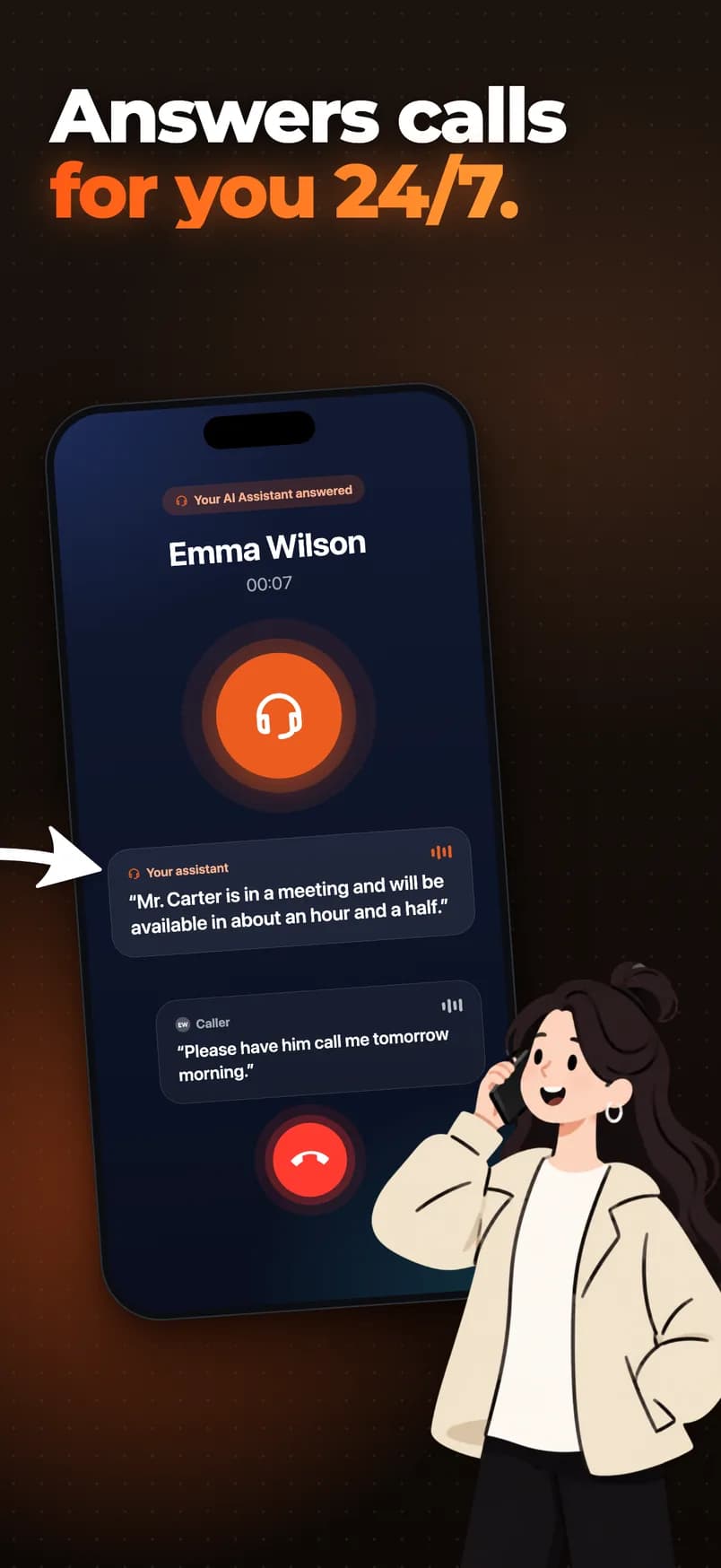
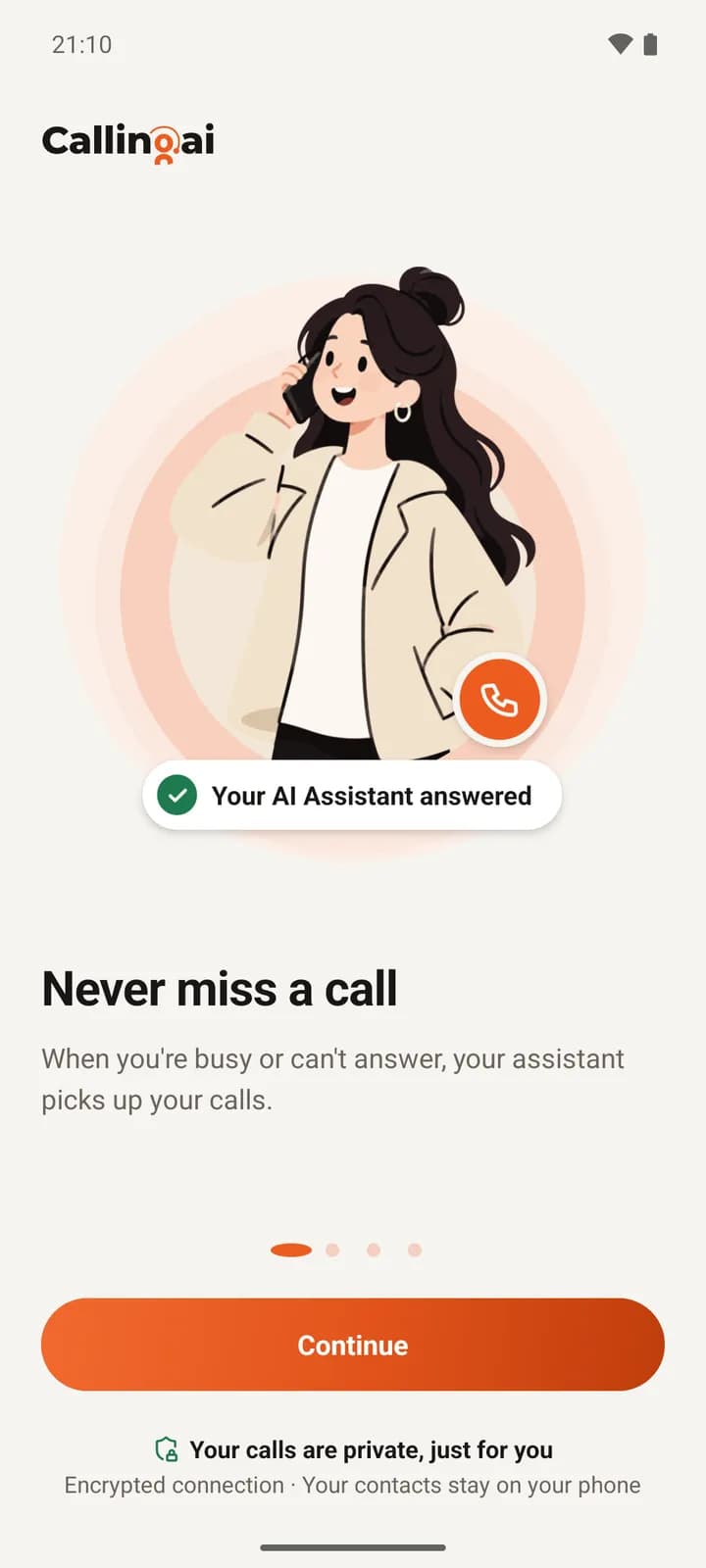
Calling AI's AI call assistant picks up when you're in a meeting, driving or on another call. It answers in your name, tells callers your status, takes a message and lets you know right away.
- iPhone and Android
- No password, just an SMS code
- Turn it off anytime
One call, start to finish.
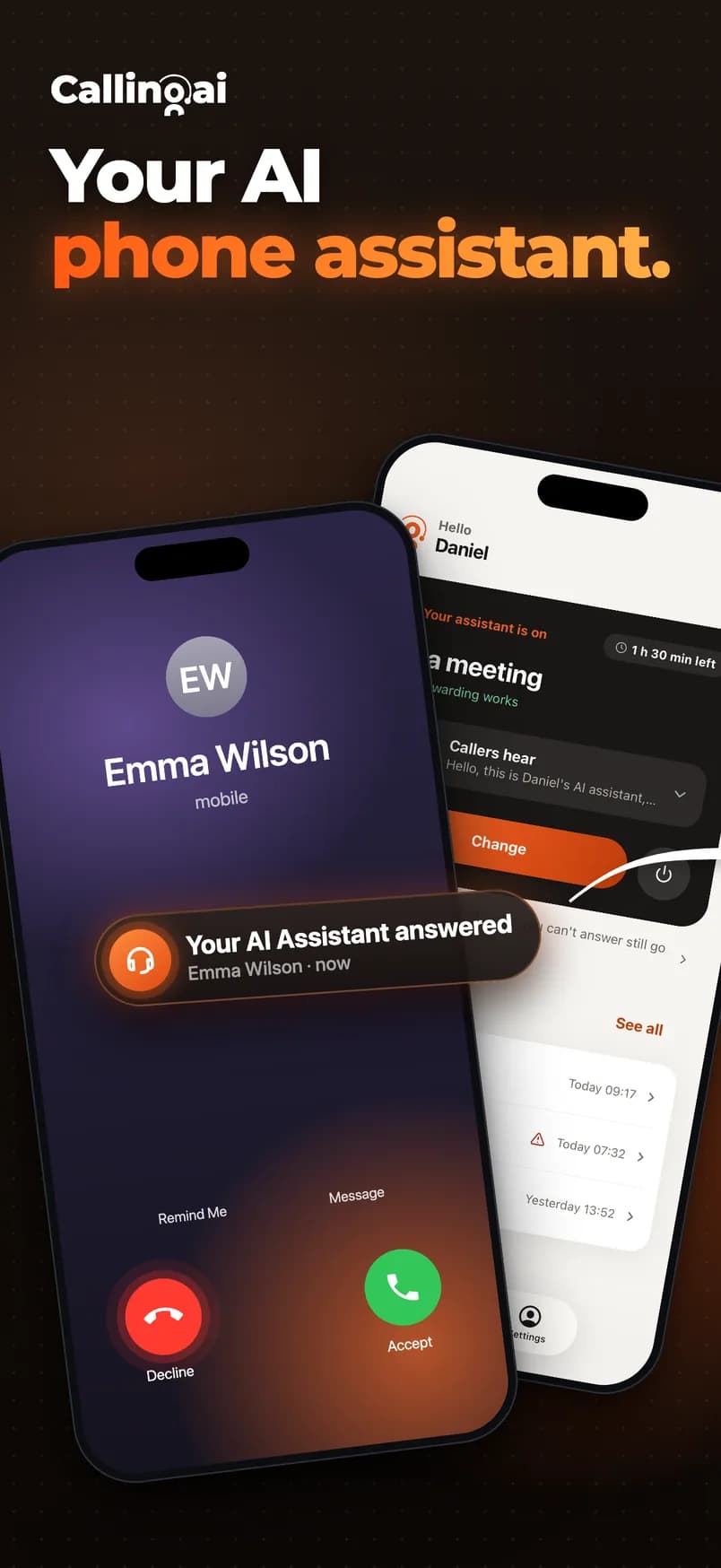
When you can't answer, the call goes to your assistant. It talks, then writes to you.
 1
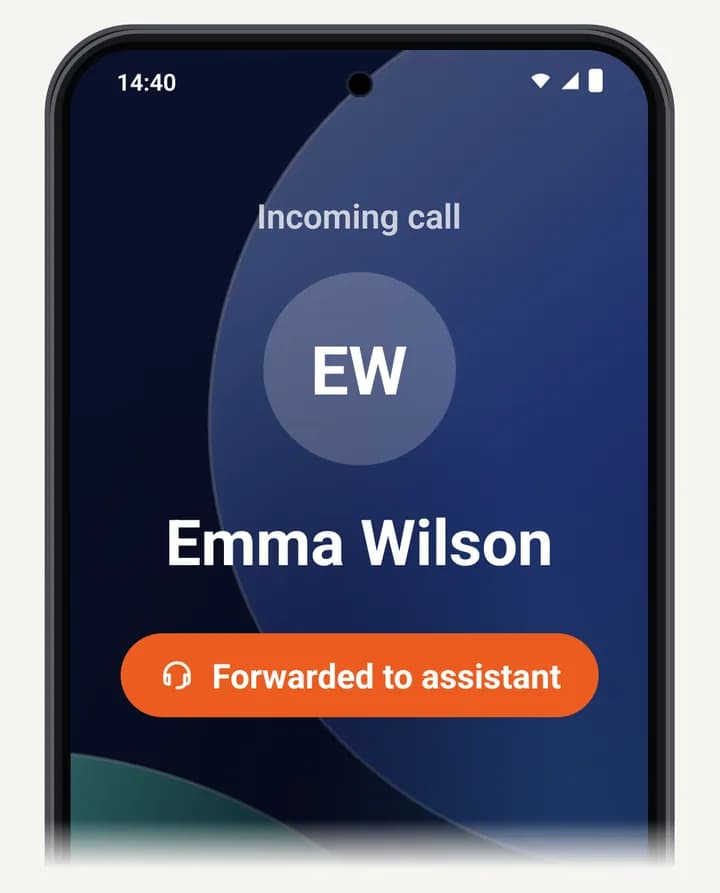
The call goes to your assistant
When you're busy, can't answer or whenever you choose, your carrier forwards calls to your assistant.
 2
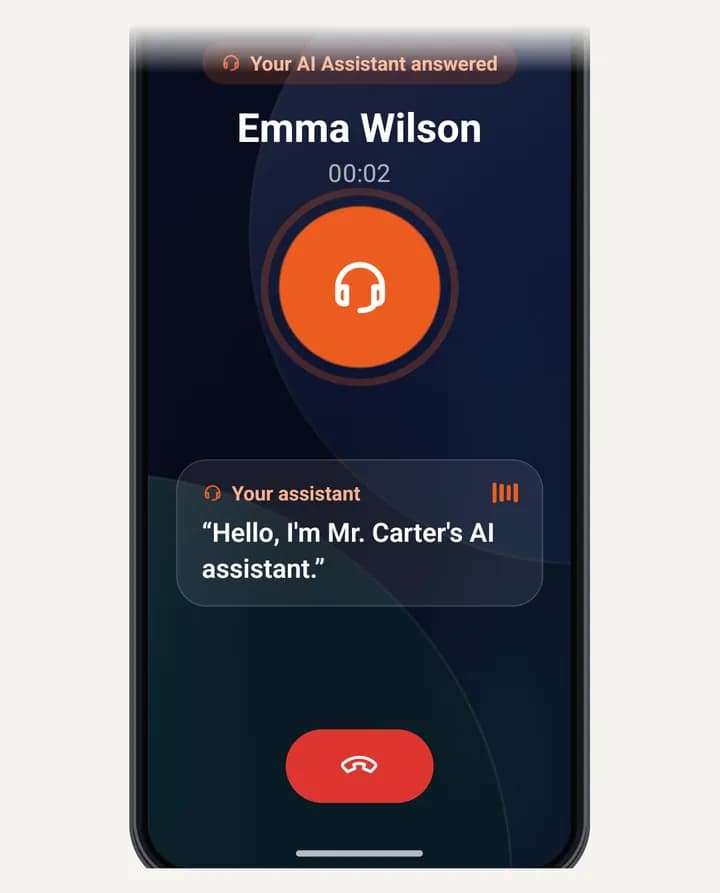
It answers in your name
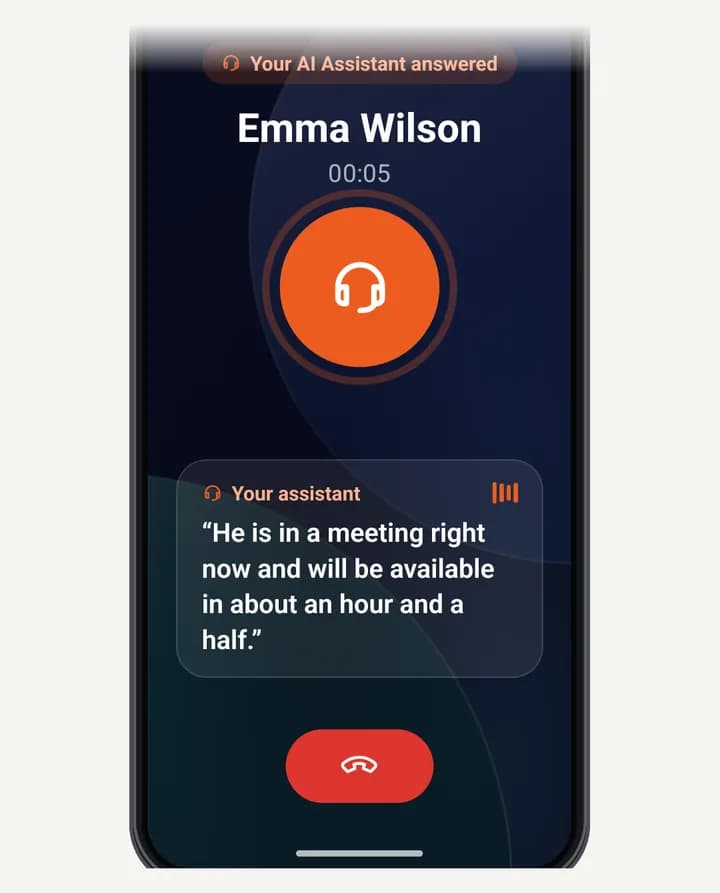
“Hello, I'm Mr. Carter's AI assistant.” Callers know from the start that they're talking to an assistant.
 3
It tells them your status
It says what you're doing and when you'll be free: “He is in a meeting and will be available in about an hour and a half.”
 4
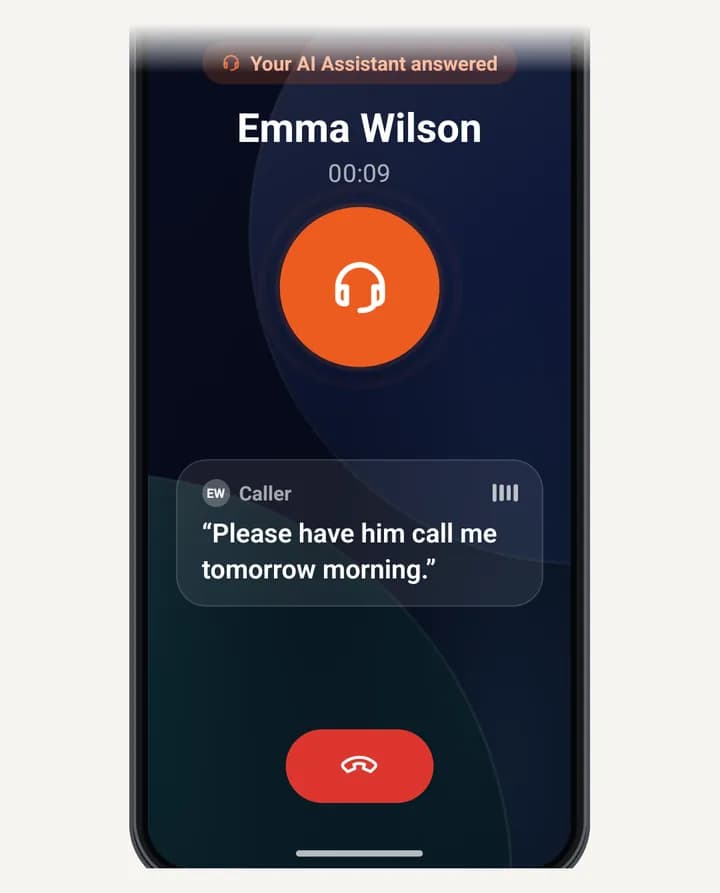
It takes the message
It listens, gets the caller's name and what they want to pass on. It keeps the call short and says goodbye.
 5
You hear about it right away
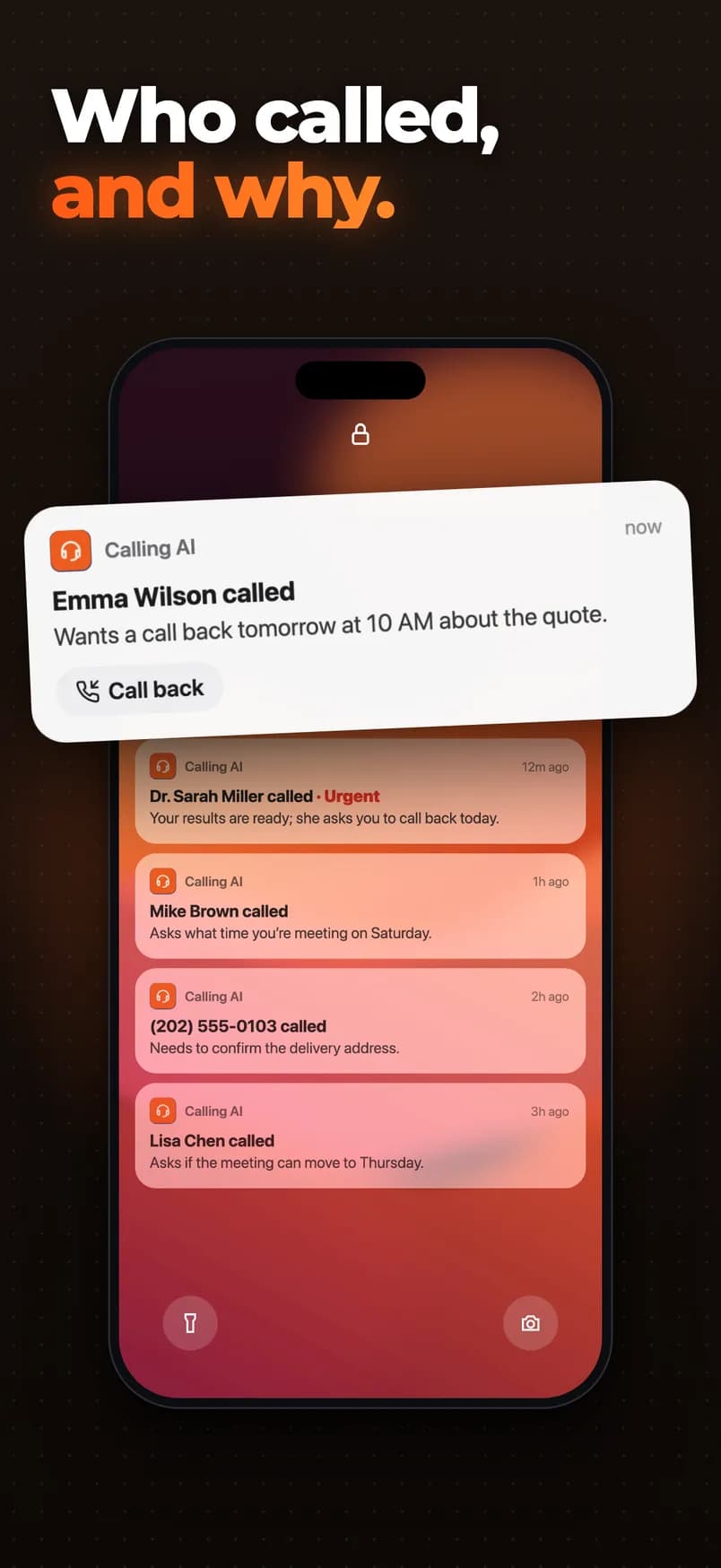
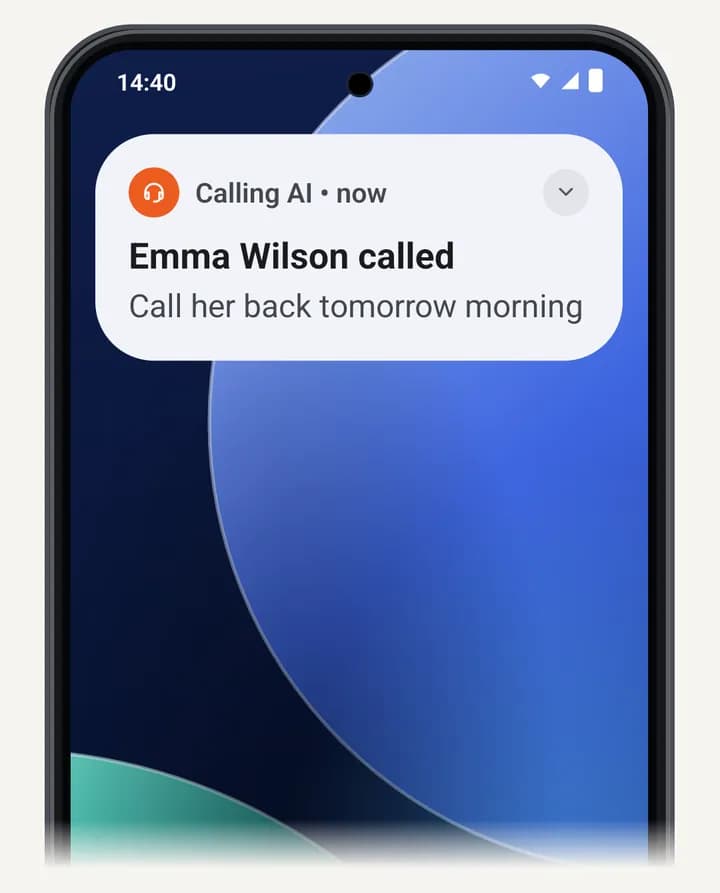
As soon as the call ends, you get a notification with who called and what they wanted, even on a locked phone.
Let it ring. Keep doing what you're doing.
Your assistant picks up and introduces you by name and title. The caller leaves a message; all you have to do is read it.
- Introduces you the way you choose: Mr. Carter, Ms. Carter or just your first name
- Asks callers only what it needs and keeps the call short
- Ends the call politely on its own
Who called, and why? Know right away.
After every call you get a notification with the caller's name and a summary of their message. Tap “Call back” to return the call in one step.
- Shows on your lock screen
- Saved contacts appear by name
- Tap the notification to open the full note
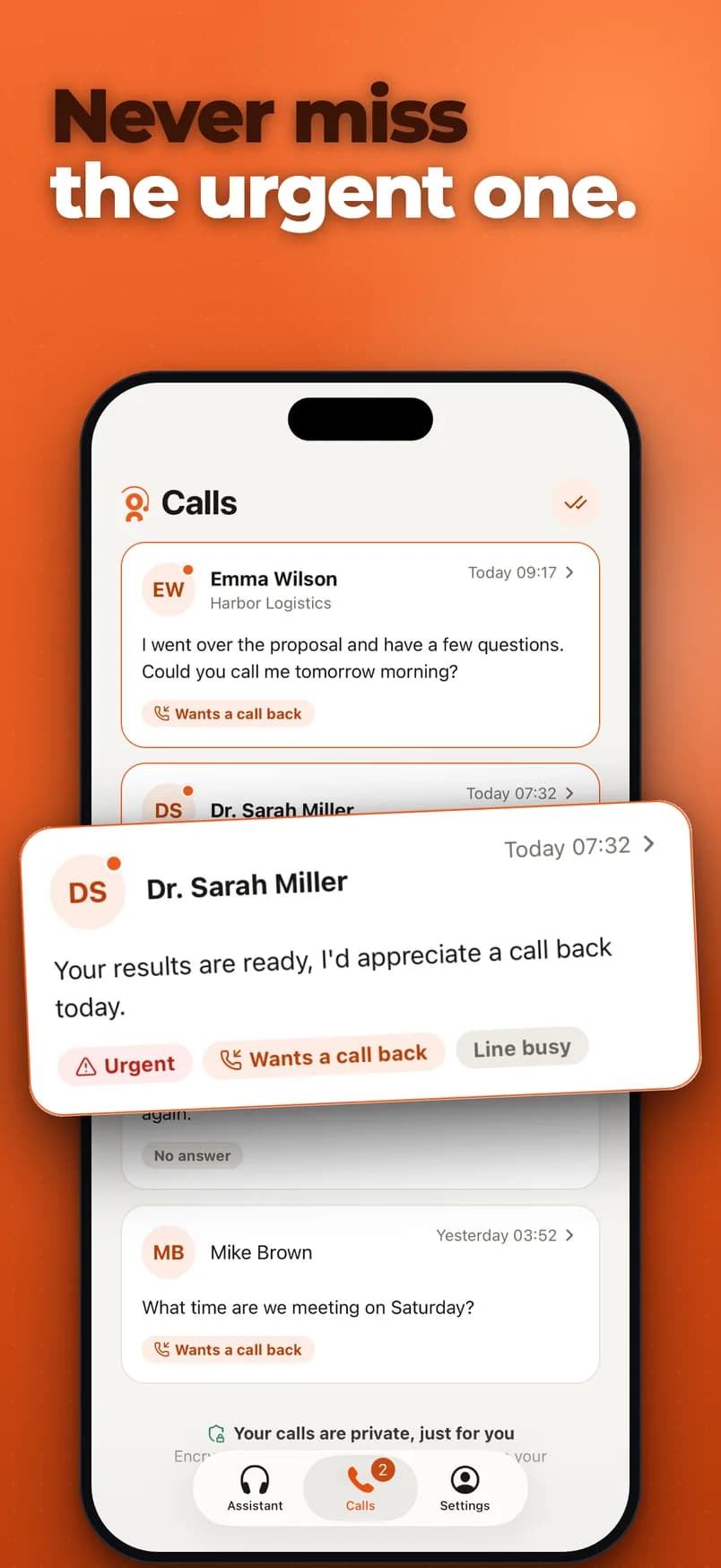
Never miss the urgent one.
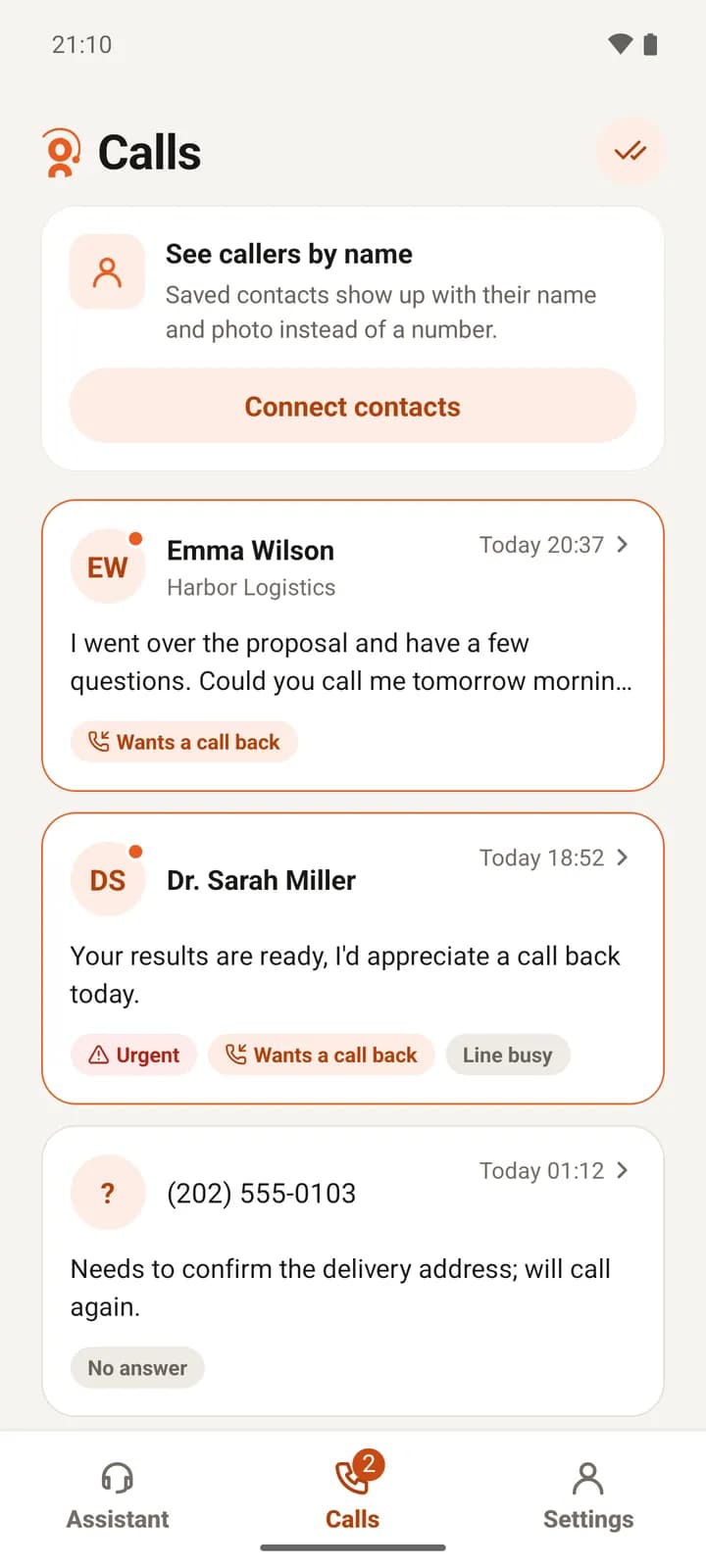
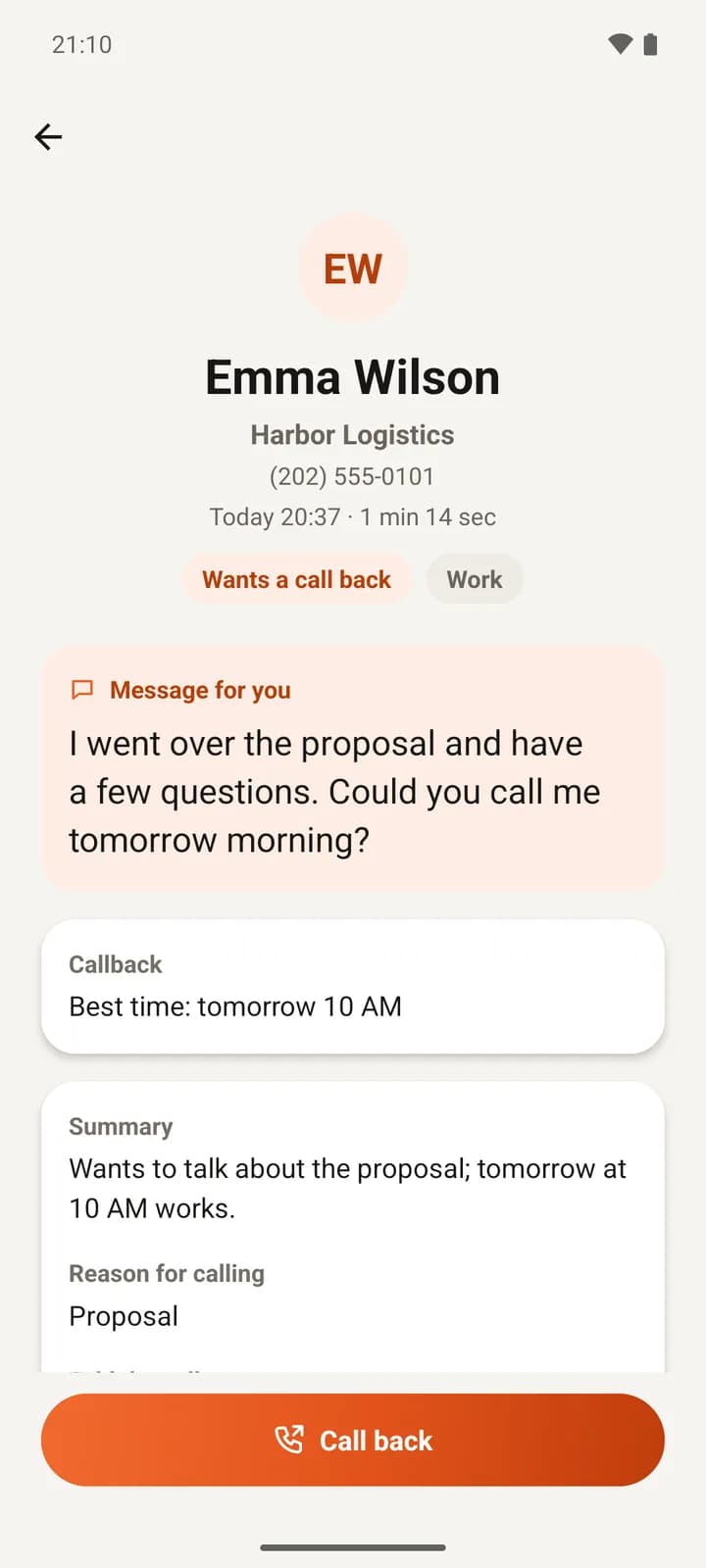
Every call is saved as a tidy note. See who called, what they wanted and when to call back at a glance.
- The caller's message, a short summary and the reason for calling
- Whether they want a call back, and when suits them
- Urgent tag; how the call came in (line busy, no answer)
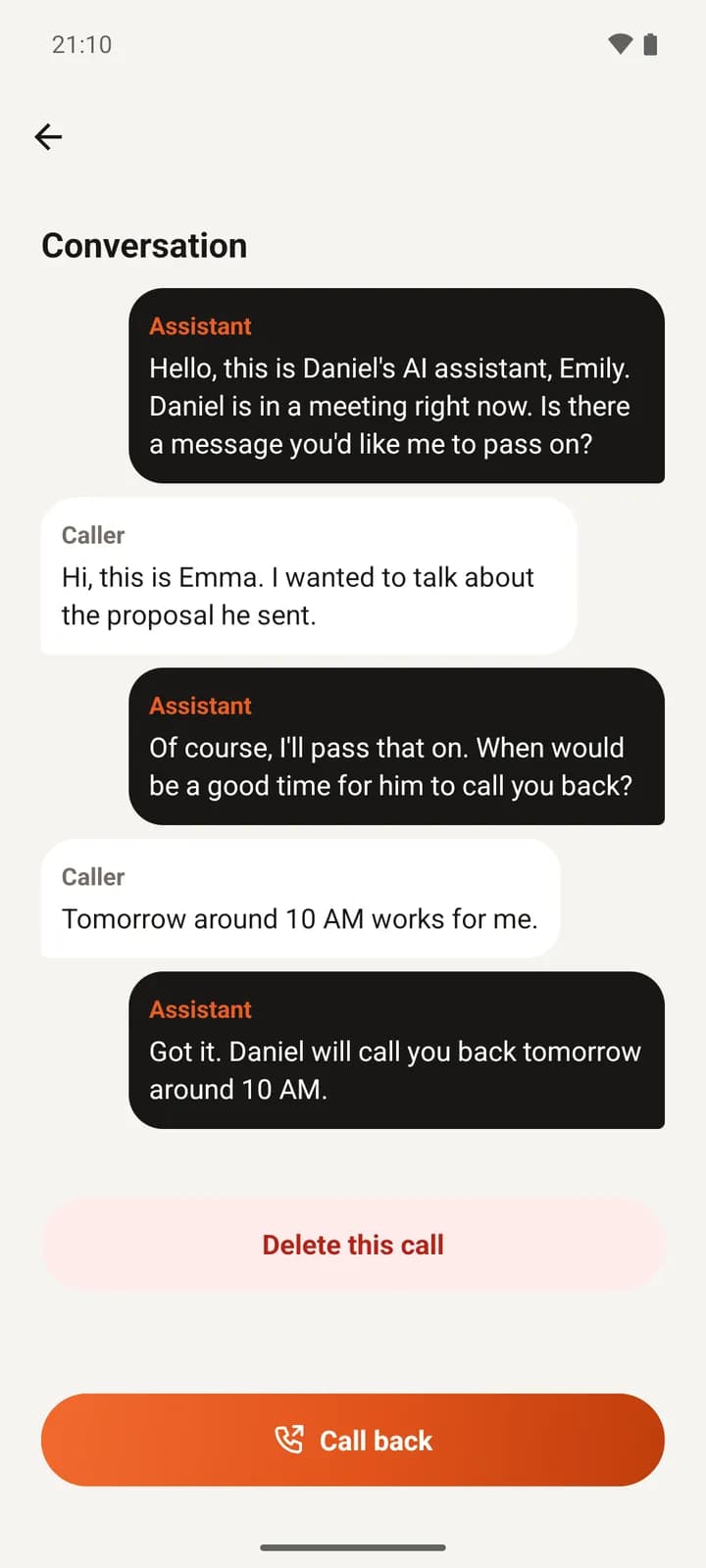
- The full conversation; delete any note you don't need
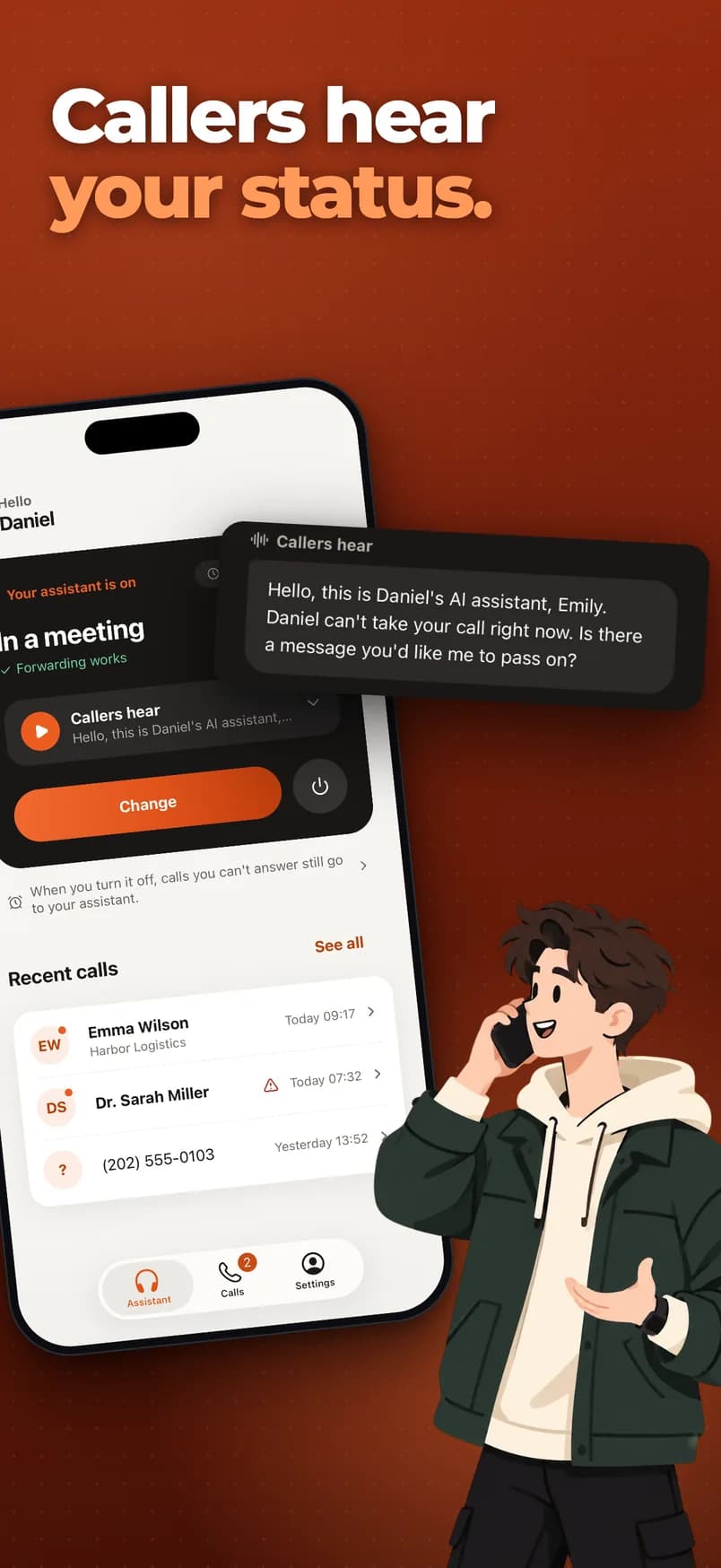
Callers hear where you are.
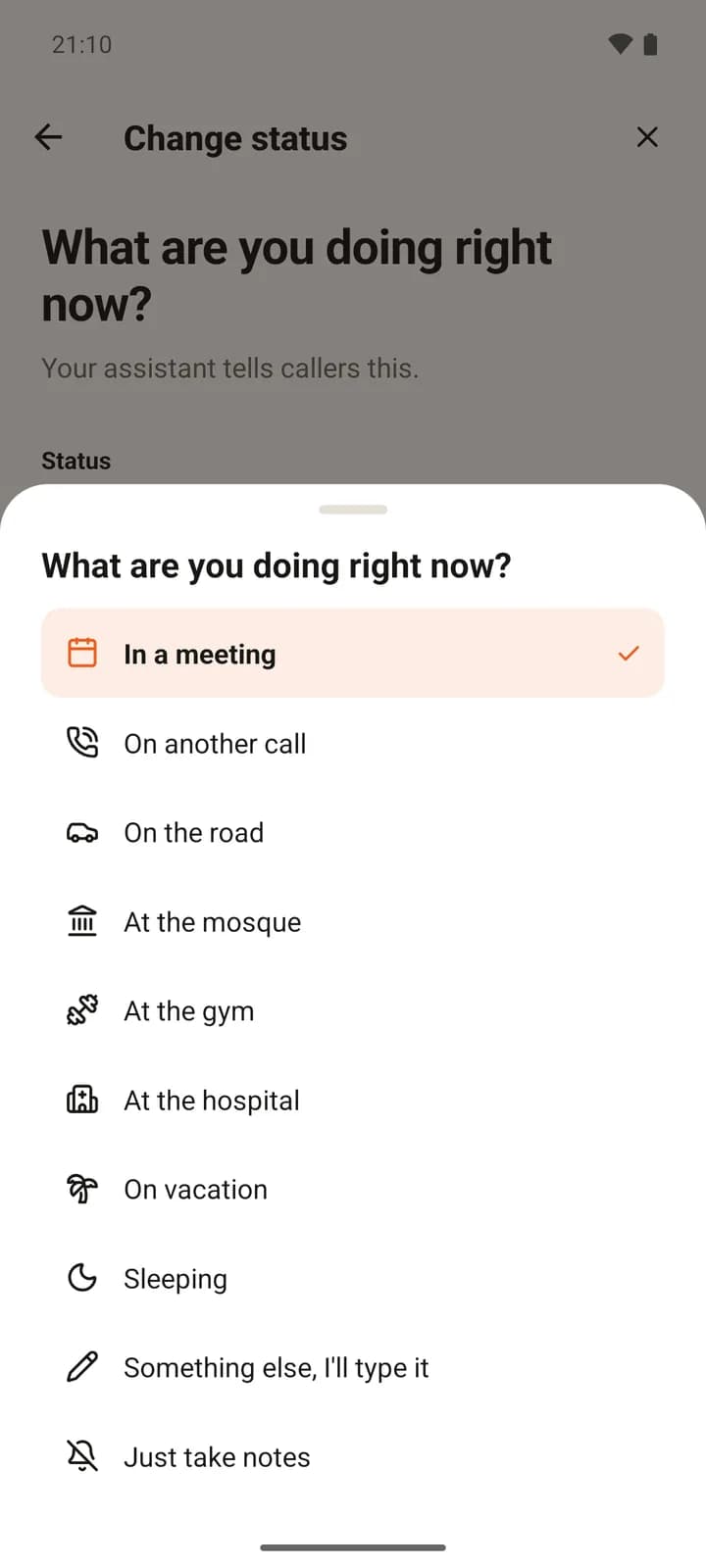
Pick what you're doing and for how long, and your assistant tells callers. When the time is up the status clears itself, and the assistant says you “can't come to the phone right now”.
Status
- In a meeting
- On another call
- On the road
- At the mosque
- At the gym
- At the hospital
- On vacation
- Sleeping
- Something else, I'll type it
- Just take notes
For
- 30 min
- 1 hour
- 2 hours
- Until tomorrow morning
- Until I turn it off
- Pick a time
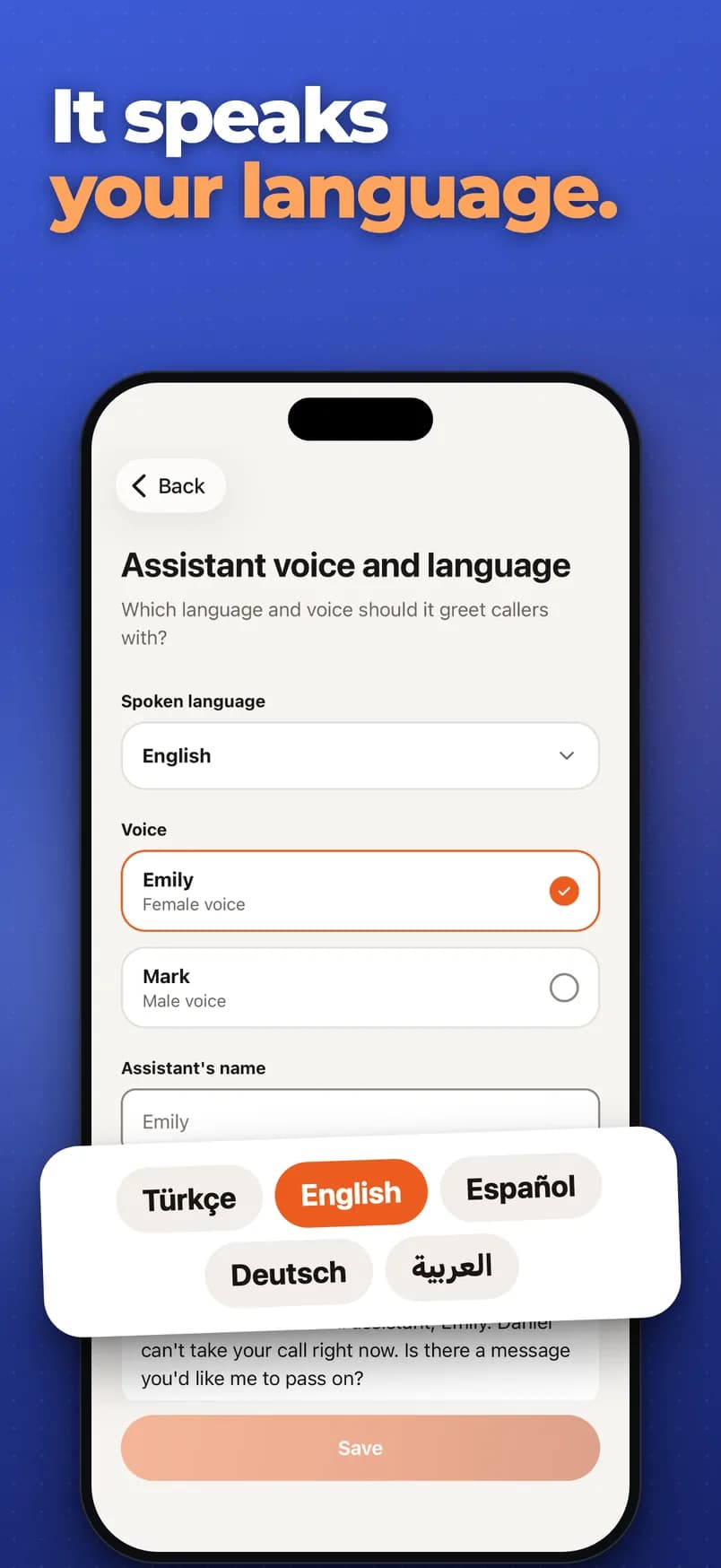
It greets callers in their language.
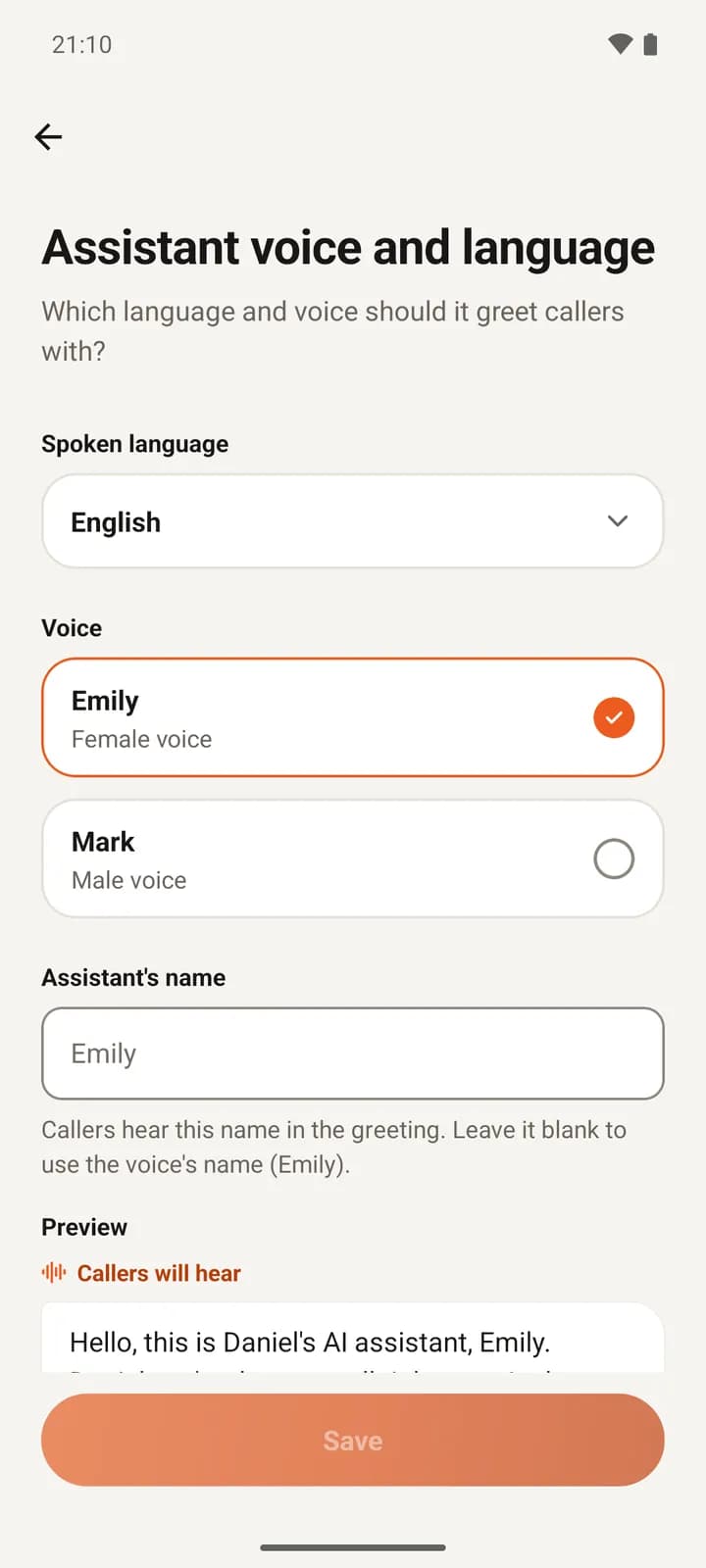
Your assistant speaks Turkish, English, Spanish, German and Arabic. Each language has a female and a male voice, and you can give your assistant a name.
- 5 languages, 2 voices each
- Listen to a voice before you save it
- The app itself comes in the same 5 languages
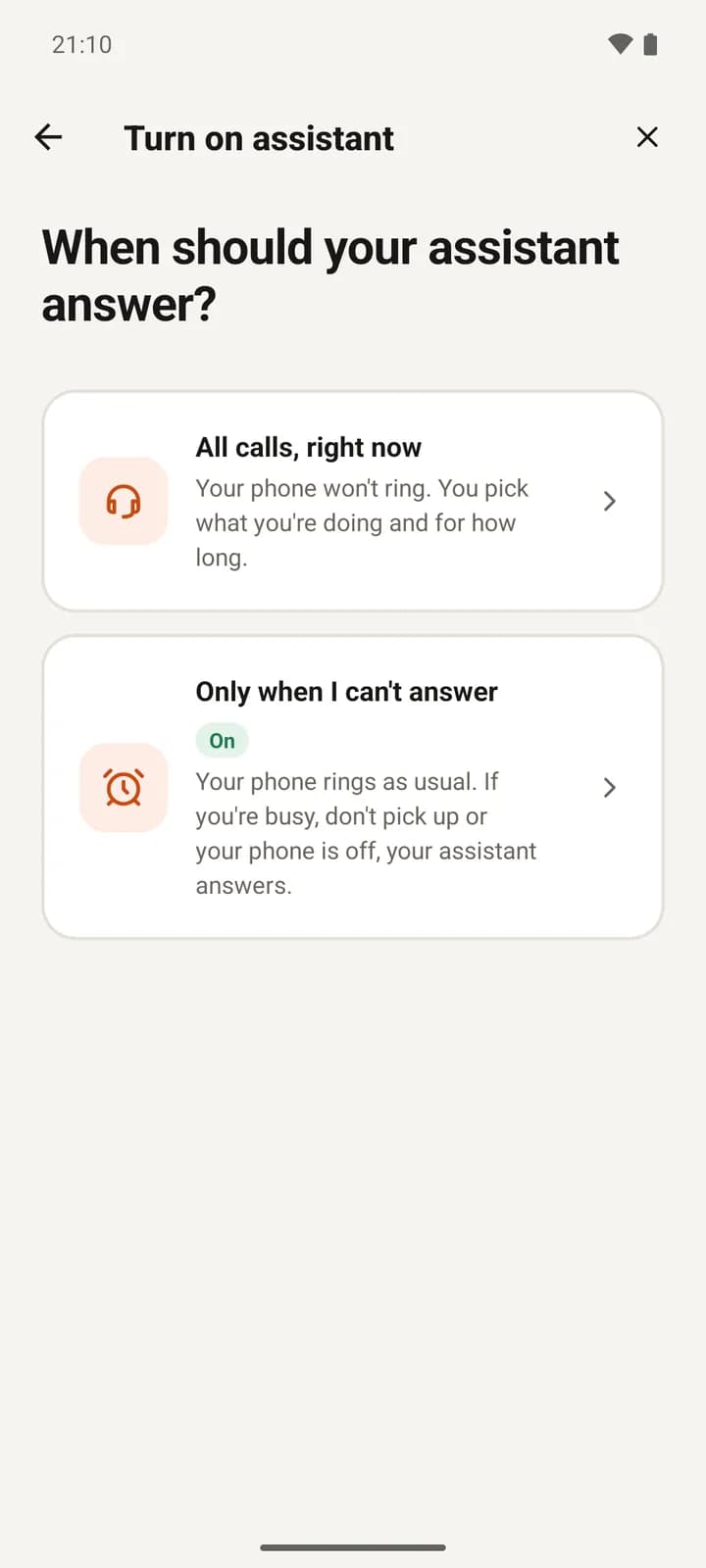
Two ways to use it. Your choice.
Hand every call to your assistant, or only the ones you can't take.
All calls, right now
Your phone doesn't ring; your assistant answers every call. You pick what you're doing and for how long.
For meetings, exams, sleep
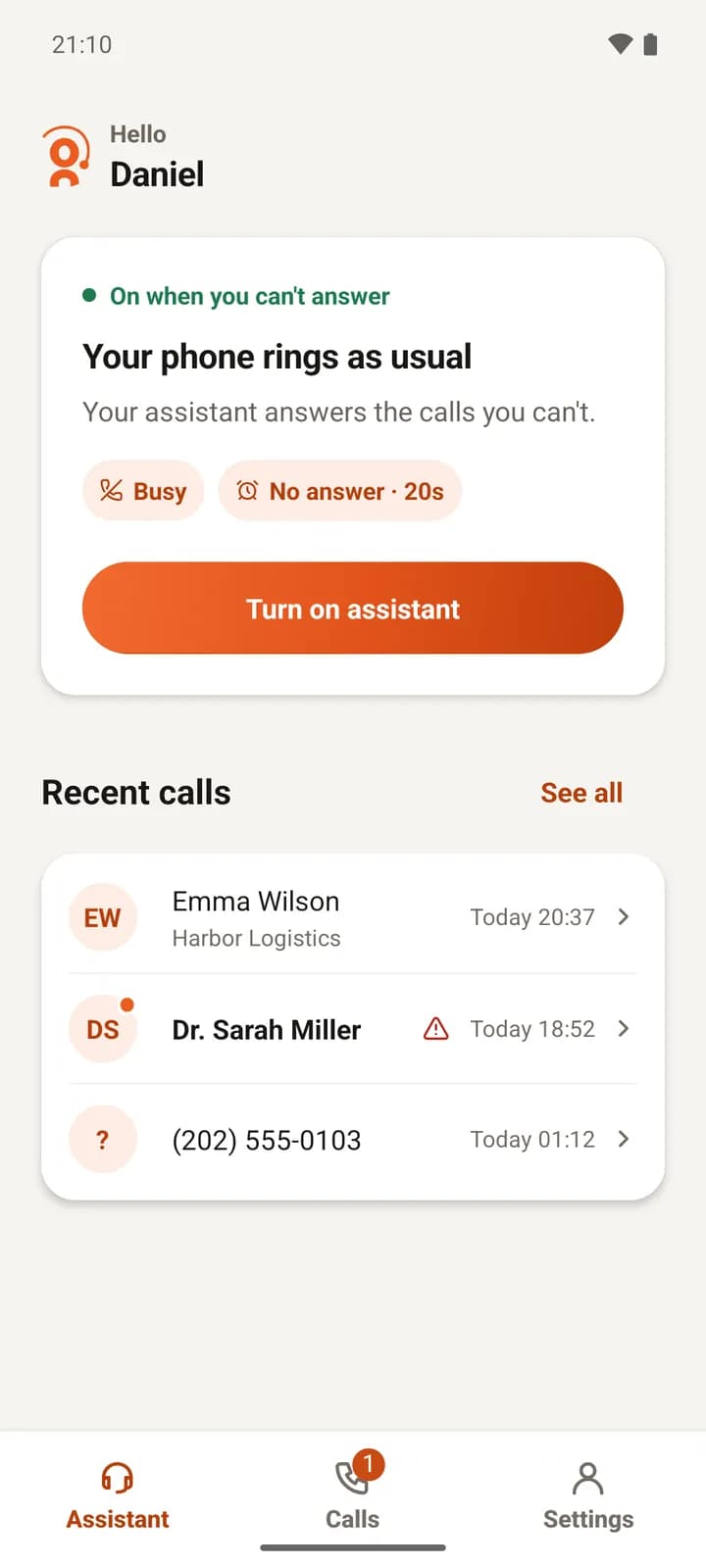
Only when I can't answer
Your phone rings as usual. Your assistant only steps in when:
- Line busy: You're on another call or you decline
- No answer: It rings for the time you choose, 10 to 30 seconds, unanswered
- Phone off: Your phone is off or has no signal
The modes you turn on replace your carrier's voicemail.
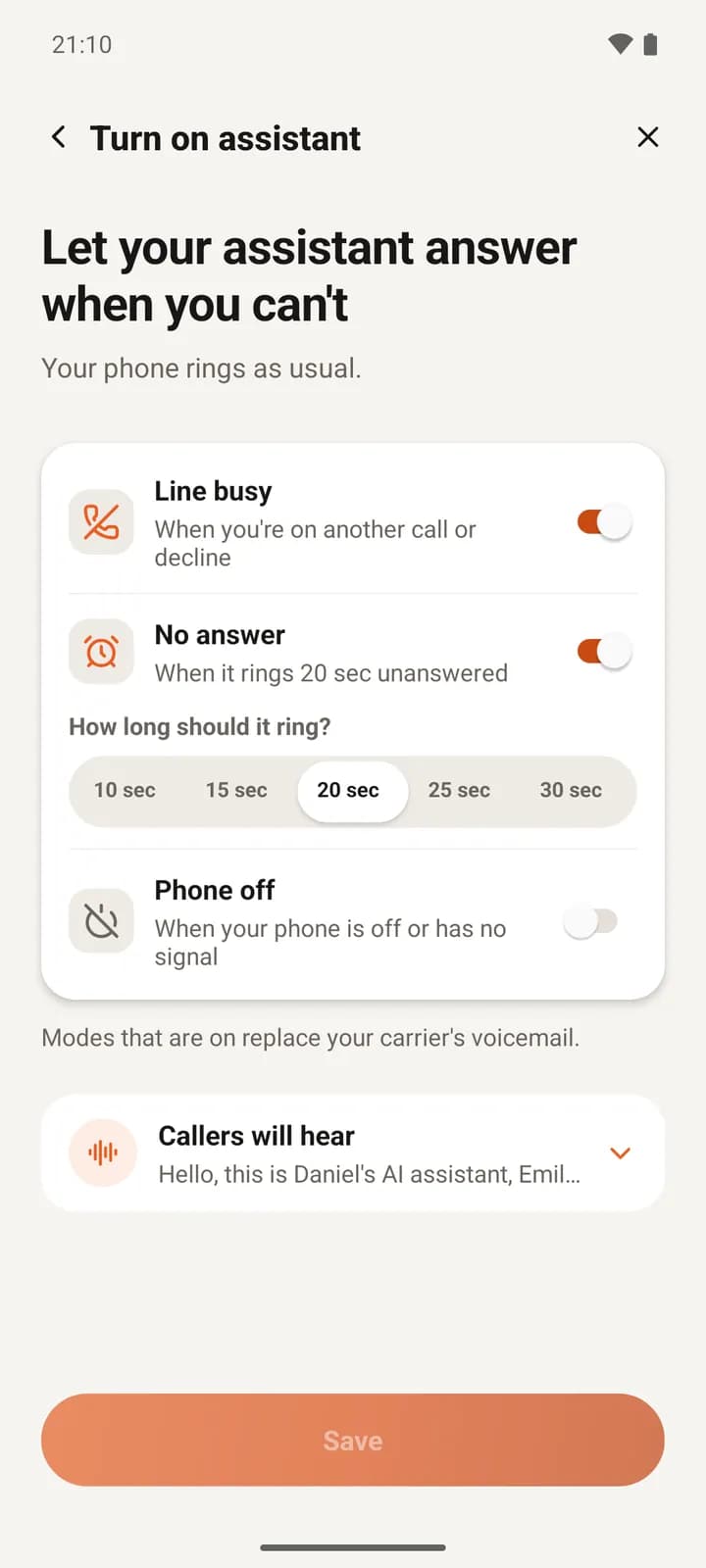
Ready in three steps.
One SMS code, about a minute. No technical know-how needed.
- 1
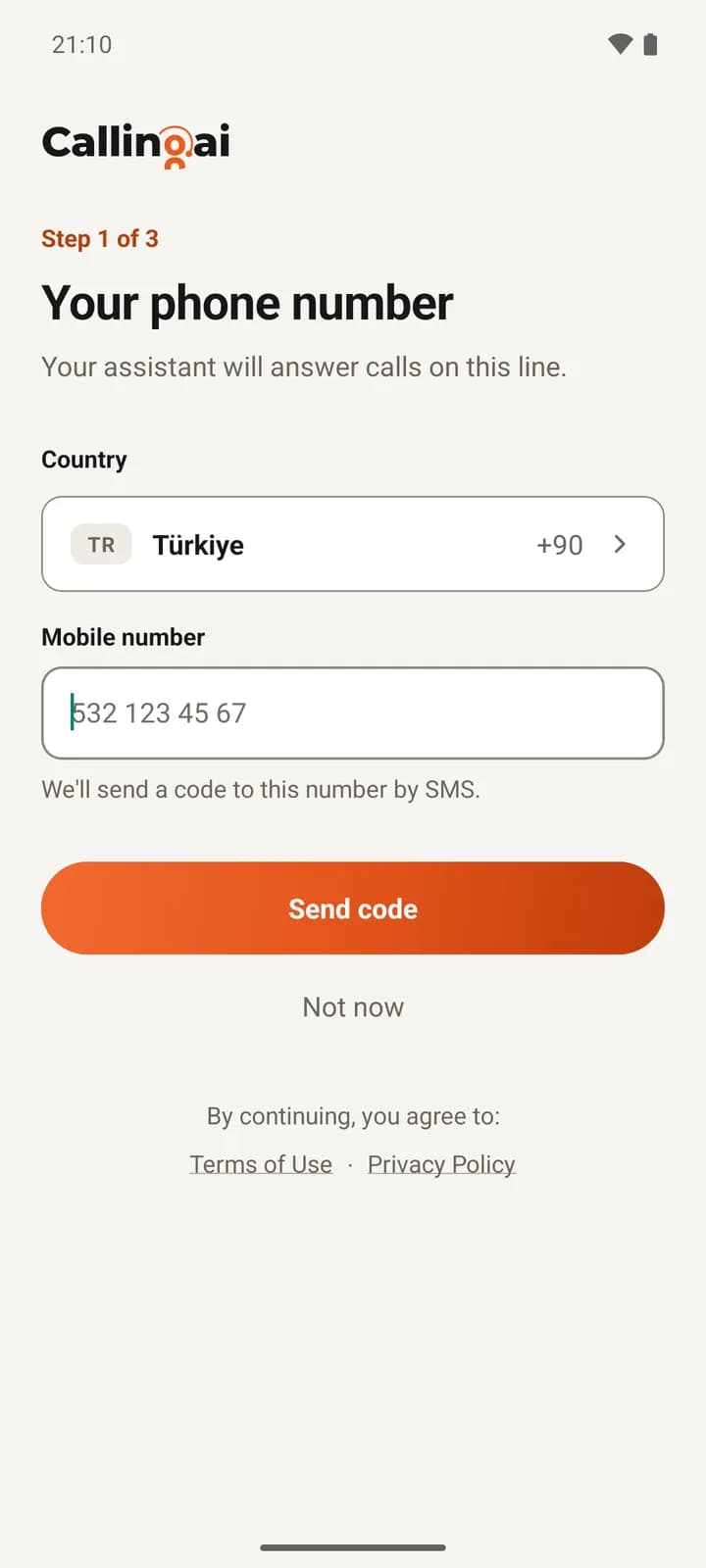
Verify your number
Enter your mobile number and type the code we text you. No password to create.
- 2
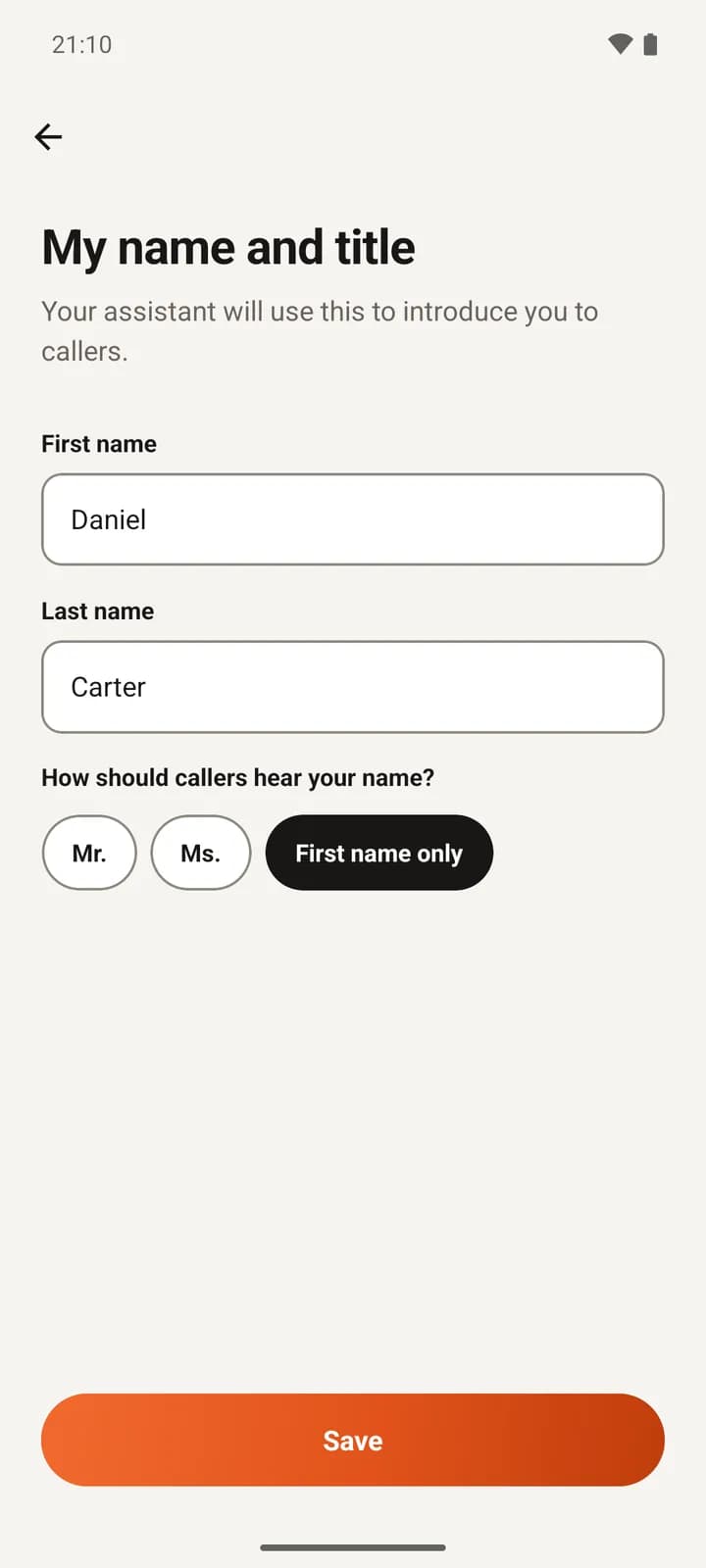
Introduce yourself
Enter your name and choose how callers hear it: Mr., Ms. or just your first name.
- 3
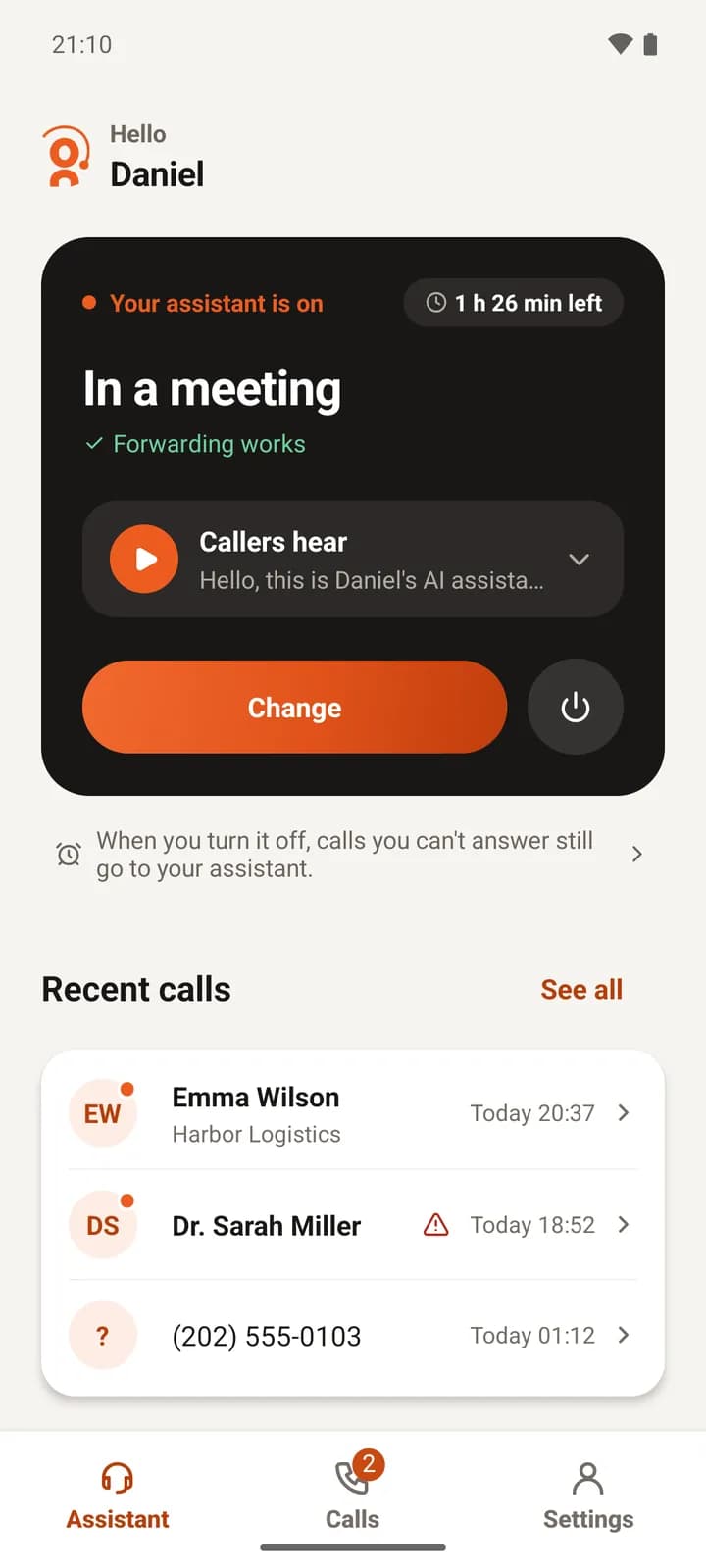
Turn on forwarding
The app prepares the code to dial. On Android it opens in the Phone app ready to go; you press the green button. On iPhone you dial it yourself.
Calling AI, screen by screen.
Screens from the app's demo account; the people and numbers are examples.
Voicemail or an AI assistant?
- What callers hear
- Voicemail: “Please leave a message after the tone.”
- Calling AI: A greeting in your name, your status and when you'll be free
- The message
- Voicemail: A recording you have to call in to hear
- Calling AI: A written note: message, summary, best time to call back
- Who called, and why
- Voicemail: You don't know until you listen
- Calling AI: Right there in the notification
- Urgent calls
- Voicemail: Lost among the others
- Calling AI: Stand out with an Urgent tag
- Language and voice
- Voicemail: Your carrier's fixed announcement
- Calling AI: 5 languages; the voice and assistant name you choose
You stay in control.
No password, just an SMS code
The code sent to your mobile number is all you need to sign in.
Encrypted connection
The connection between the app and our servers is encrypted.
Your contacts stay on your phone
Callers' names are matched from the contacts on your phone.
Your notes are yours
Delete any call note you don't need with one tap.
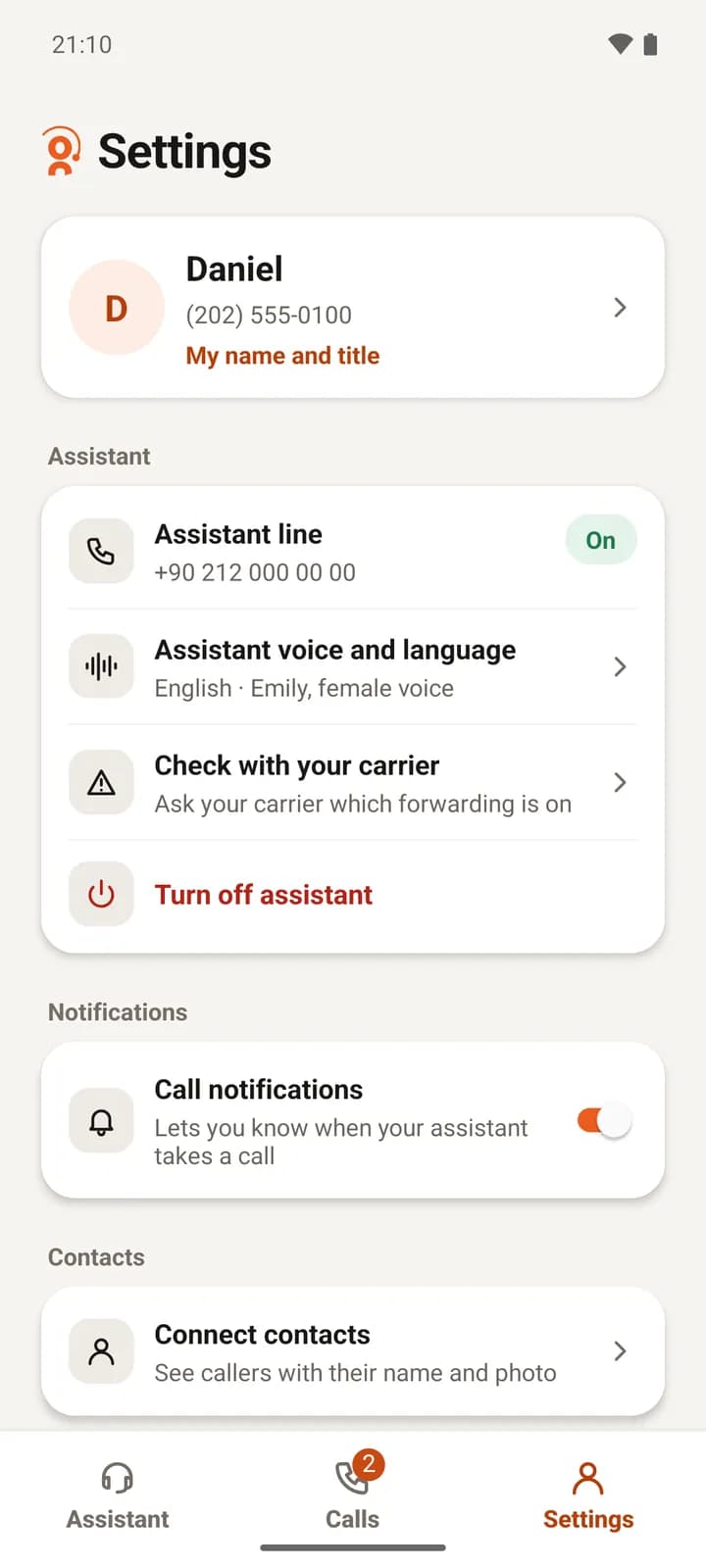
Turn it off anytime
Tap “Turn off assistant” and calls ring straight through to your phone again.
Delete your account
Settings › Delete my account closes your account from inside the app.
Easy on either phone.
Android
The forwarding code opens in the Phone app, ready to dial. Just press the green button.
iPhone
Apple doesn't let apps dial codes. The app shows you the code and you dial it in the Phone app. For all calls you can also use Settings › Phone › Call Forwarding.
Not sure which forwarding is on? Settings › Check with your carrier lists the codes that ask your carrier.
It works with mobile numbers in Turkey for now. If you're in another country, you can request it from inside the app.
Frequently asked questions
What is the Calling AI call assistant app?
It's a phone app that forwards the calls you can't answer to your AI assistant. The assistant talks to callers in your name, tells them your status, takes a message and sends you a notification.
How is it different from voicemail?
Voicemail makes callers leave a recording that you then have to listen to. Calling AI talks to callers, tells them your status and sends the message to your phone as a written note.
Do callers know they're talking to an AI?
Yes. The assistant introduces itself as your AI assistant at the start of the call: “Hello, I'm Mr. Carter's AI assistant.”
Which phones does it work on?
iPhone and Android. The app is coming soon to the App Store and Google Play.
Which carriers does it work with?
It works with mobile lines in Turkey. Forwarding is turned on with your carrier's standard call forwarding codes, and the app shows you which code to dial.
Does forwarding cost extra?
Your carrier may charge for forwarded calls depending on your plan. Ask your carrier whether your plan covers call forwarding.
Will my phone still ring?
That depends on the mode you choose. With “Only when I can't answer” your phone rings as usual. With “All calls, right now” it doesn't ring and your assistant answers every call.
Which languages does the assistant speak?
Turkish, English, Spanish, German and Arabic, each with a female and a male voice. The app itself comes in the same five languages.
How do I turn the assistant off?
Tap “Turn off assistant” in the app. It shows you the code that turns forwarding off; once you dial it, calls ring straight through to your phone again.
Can I use it with a number outside Turkey?
For now it works with mobile numbers in Turkey. If you're in another country, you can request your country from inside the app.
Can I use it for my business lines?
The app is for your personal mobile line. For company lines, teams and phone systems, use the inbound call assistant on the Calling AI platform.
Last updated: 25 November 2026
Never miss a call again.
Calling AI is coming soon to the App Store and Google Play. Questions? Get in touch.